MaxiCheck MX808 s
OBD2 All System Diagnostic Scanner
When it comes to ultra-portability, MaxiCheck MX808 is your perfect companion. Installed with a fast quad-core processor, MX808 offers maximum convenience and swift diagnosis. The intuitive user interface makes using the device effortless through a 7-inch LCD touch screen that displays at 1024x600 quality.
• Read/clear codes for all available systems
• Display live data in text, graph & analog for easy data review
• Auto VIN technology can automatically identify the vehicle’s make, model and year information in no time
• Reset Steering Angle Sensor (SAS)
• Reset service mileage and service intervals
• Relearn parking brake pad after replacement
• Support forced DPF regeneration and adjusting injectors
•
| Operating System | Android 11 |
| Processor | Cortex-A55 quad-core processor (1.8GHz) |
| Memory | 4GB RAM & 64GB On-board Memory |
| Display | 7-inch LCD capacitive touchscreen with 1024x600 resolution |
| Connectivity | Wi-Fi(802.11a/b/g/n/ac) |
| USB 2.0,Mini USB 2.0 | |
| Wireless BT V2.1+EDR | |
| HDMI Type A | |
| SD Card (Support up to 64GB) | |
| Sensors | Light sensor for brightness auto adjust |
| Audio Input/Output | Input: N/A |
| Output: Beep | |
| Power and Battery | 3.7 V/5000mAh lithium-polymer battery |
| Charges via 5 VDC power supply | |
| Input Voltage | 5 V/1.5 A |
| Operating Temp | 0 to 50°C (32 to 122°F) |
| Storage Temp | -20 to 60°C (-4 to 140°F) |
| Dimensions(WXHX D) | 270.8 mm (10.0”) x 176.0 mm(6.9”) x 36.0 mm (1.4”) |
| Weight | 885g (2.31 lb.) |
| Protocols | ISO9141-2, ISO14230-2, ISO15765, K/L-Line, Flashing Code, SAE-J1850 VPW, SAE-J1850PWM, ISo11898(Highspeed, Middlespeed, Lowspeed and Singlewire CAN, fault-tolerant CAN) SAE J2610, GM UART UART Echo Byte Protocol, Honda Diag-H Protocol,TP2.0,TP1.6 |

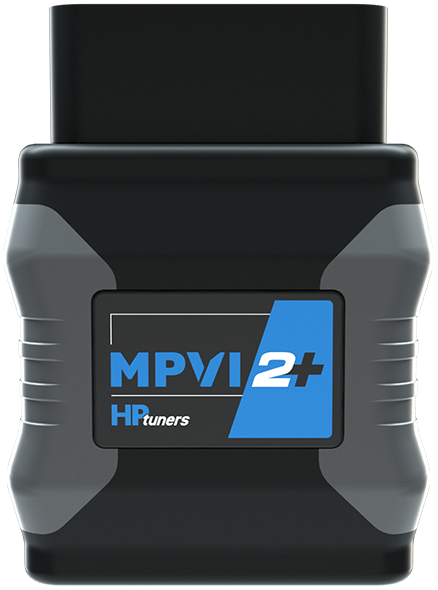
MPVI2+
What is the MPVI2+?
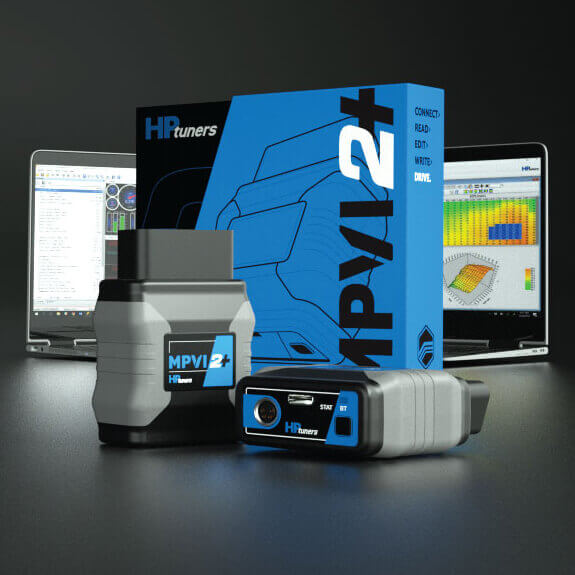
Connect > It is an OBDII interface tool that connects VCM Suite to your vehicle’s various control modules. Read > Diagnose and clear trouble codes, monitor vehicle performance or read from your various vehicle control modules. Edit > Optimize vehicle performance, fuel economy, and more. Write > License and tune any vehicle currently supported by HP Tuners. Drive >>>>>
Note: The MPVI2+ does not include any pre-loaded tunes or calibrations.
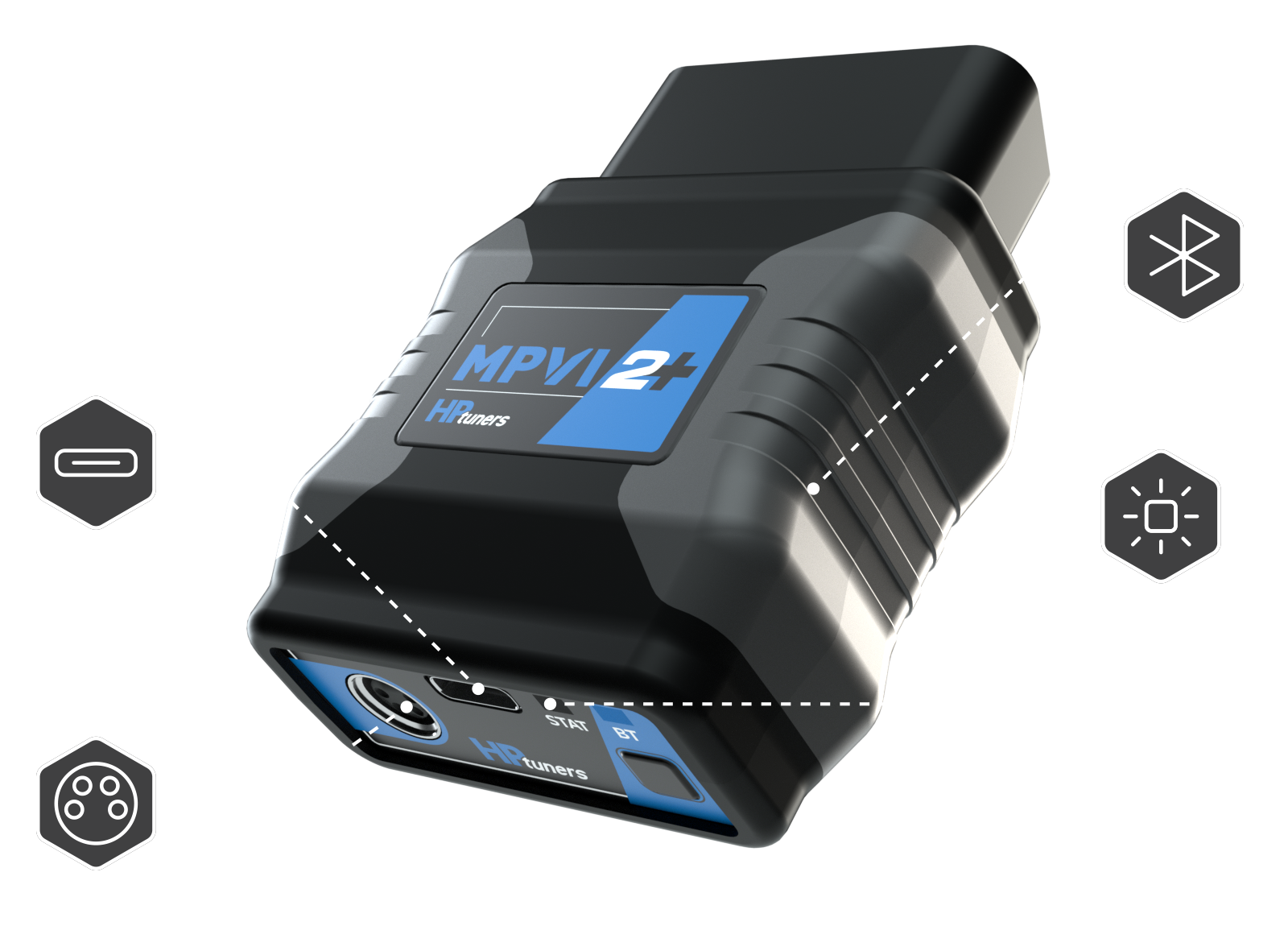
NEW FEATURES.
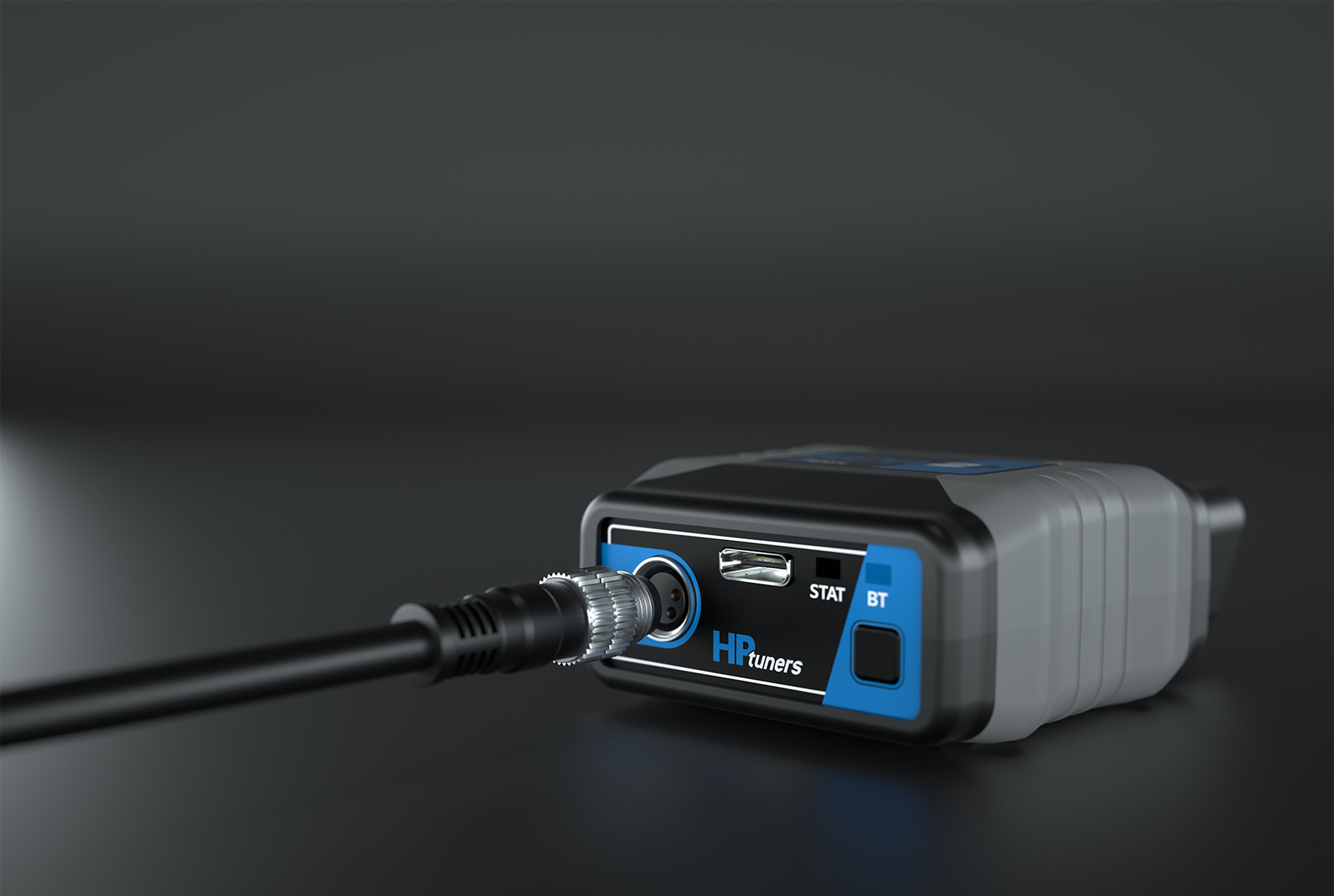
BLUETOOTH LOW ENERGY 5.0
iOS capability with TDN App
M8 CONNECTOR (4-pin)
Motorsports grade, screw-on
12x FASTER USB-C
Improved connection speed
(4 MB/s vs 330 KB/s)

RGB LED
Bluetooth Pairing & Device Status
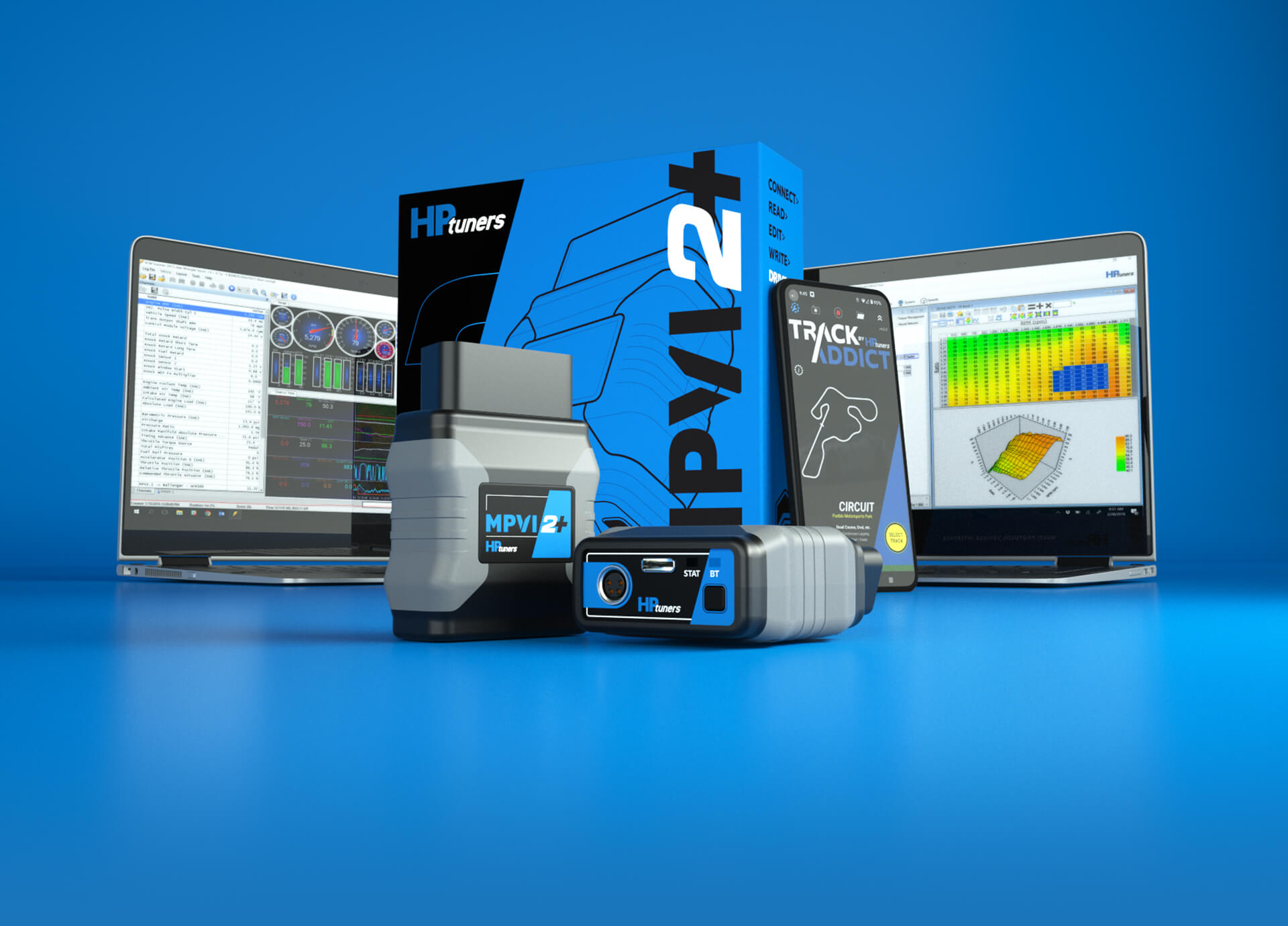
HARDWARE & SOFTWARE
Combine the MPVI2+ With VCM Suite for the most comprehensive scanning, logging and calibration tools on the market. Whether you are building a dedicated track car, a next level streetcar, or just want more fuel efficiency or better towing for your daily driver, HP Tuners has the tools to get the most out of your vehicle.

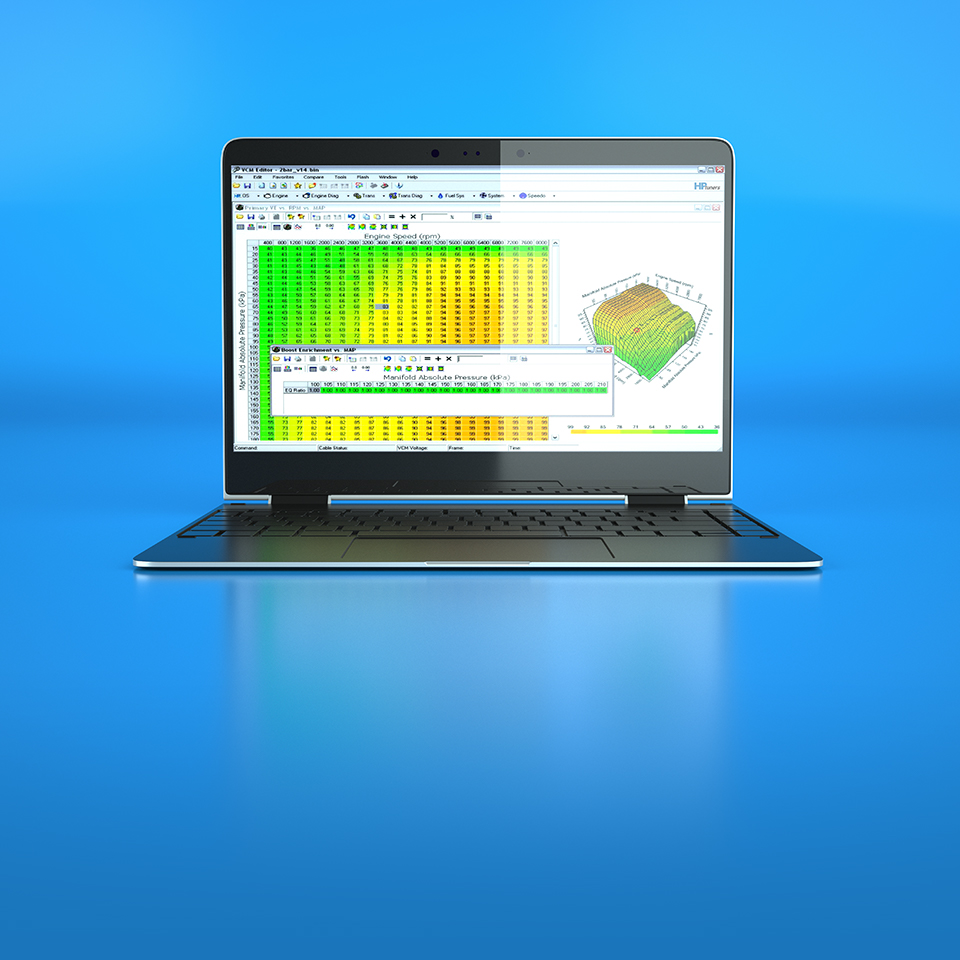

Adjust a multitude of parameters such as spark, fuel, RPM limits, fan temps and speeds, transmission shift points and pressures, exhaust valve control, speedometer settings and many more. Then, write these changes back to the vehicle’s various control modules
LEARN ABOUT VCM EDITOR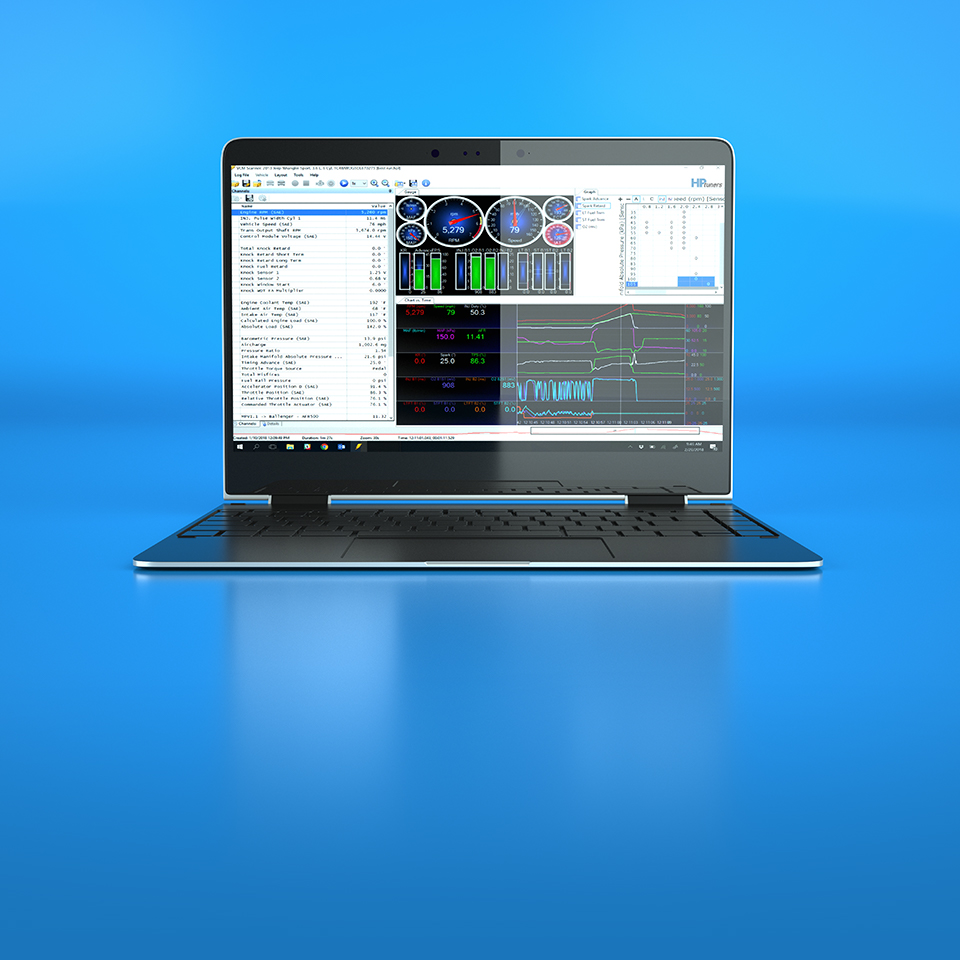

The most feature rich scan tool on the market. View, chart, and log diagnostic data in real time through the vehicle’s OBDII port. View vehicle Diagnostic Trouble Codes (DTC’s), configure fans, closed loop, gear select, timing, air fuel ratio and more in real time
LEARN ABOUT VCM SCANNERWELCOME TO PRO.
The next advanced step for your MPVI2+. Together with Pro Feature Set, the Pro Link+ allows you to import up to two analog signals and one CAN signal at a time. Seamlessly integrate your Wideband O2, boost pressure sensor, and more, enhancing your calibration and logging experience. Standalone Data Logging is also new to Pro Feature Set, making it easier than ever to collect data while driving.
 CONFIGURATION
3REVIEW

MPVI 3
BUILT FOR ENTHUSIASTS AND PROFESSIONALS –
Introducing MPVI3 by HP Tuners, the fastest and most sophisticated OBDII interface device to date. Now standard with Pro Feature Set (PROLINK+ cable sold separately).
BIGGER, BETTER, FASTER.
Pro is the new standard with MPVI3. Take advantage of Pro Feature Set capabilities like standalone data logging and PROLINK+ compatibility (sold separately) already built into your new device. MPVI3 redefines the limits of speed and control with faster standalone data logging and 2X the storage capacity compared to the previous generation. Log more runs (faster) and store more calibrations on your MPVI3, all with the convenience of eliminating your laptop from the equation.


But don’t be fooled, MPVI3 continues the legacy of its predecessor with features like Bluetooth 5.0, an M8 motorsports-grade screw-on connector, RGB LEDs, and USB-C connectivity (4MB/s).

MaxiSYS MSOAK
MaxiSYS MSOAK
Oscilloscope Accessory Kit
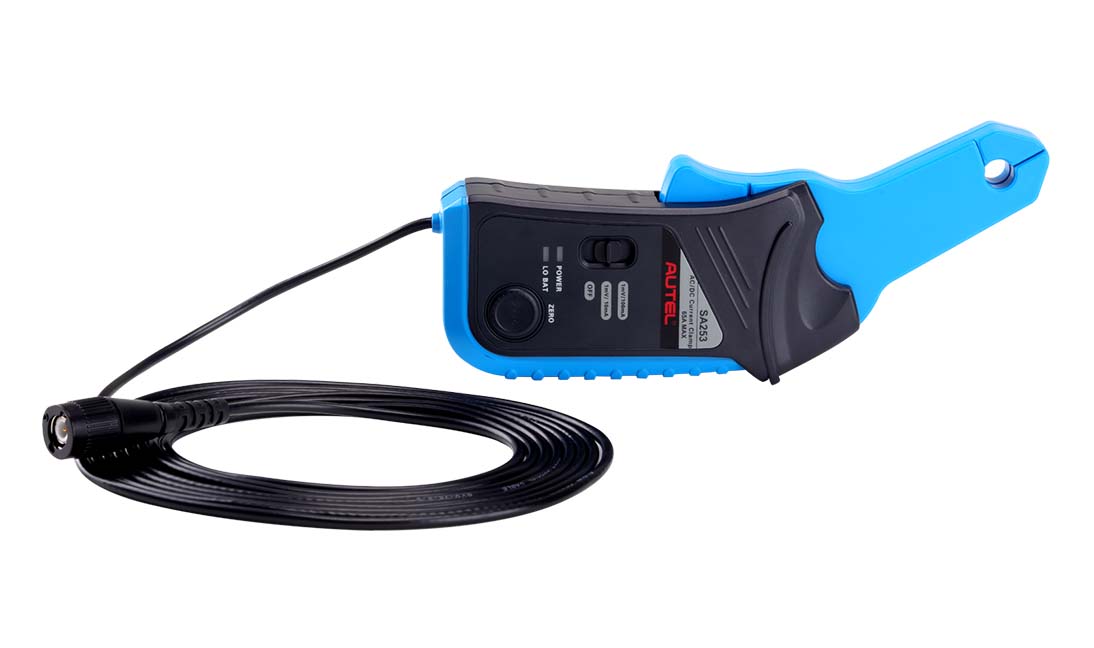
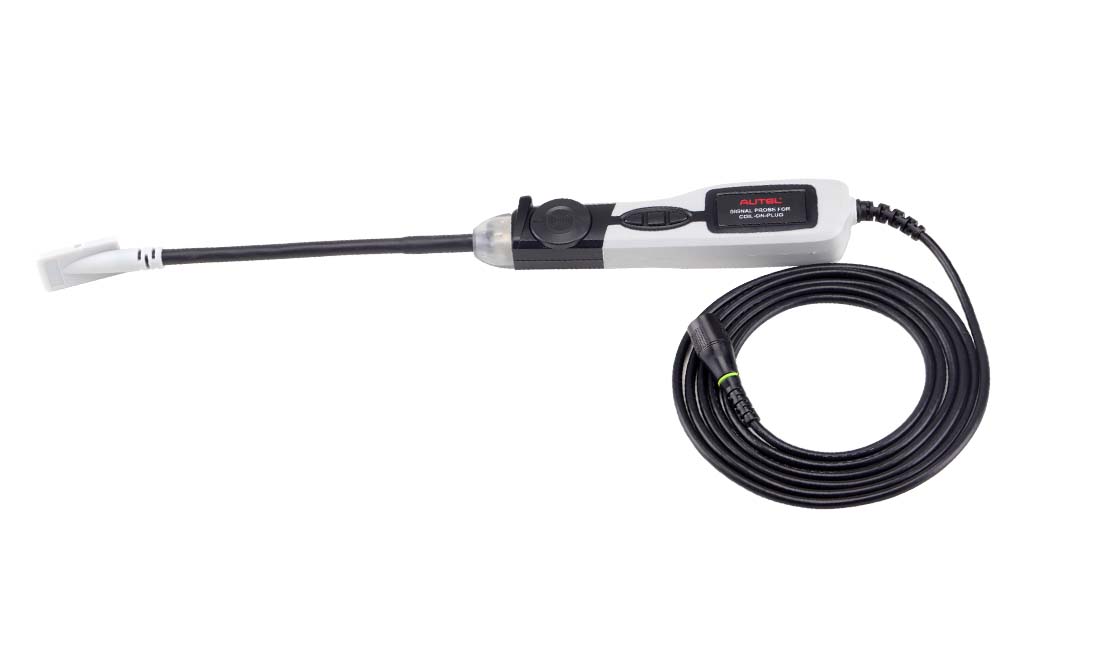
The MSOAK, compatible with the MaxiFlash VCMI included with the MSUltra and MS919, and the MP408 4-channel oscilloscope (sold separately), includes the 65A AC/DC Current Clamp, 650A AC/DC Current Clamp, Coil On Plug Probe, HT Extension Lead (2pcs) and Battery Clip (2pcs), within a blow-molded carrying case. To enable screen reader support, press Ctrl+Alt+Z To learn about keyboard shortcuts, press Ctrl+slash
Compatible with the MSULTRA, MS919 & MP408
• Includes 65A AC/DC Current Clamp, 650A AC/DC Current Clamp, Coil on Plug Probe, HT Extension Lead (2pcs) and Battery Clip (2pcs)
• Includes Carrying Case
• Includes 1-Year Warranty

Bitbox Toyota Denso Gen1 CAN
Toyota Denso NEC 76F00XX (FID: 24);
NEC 76F0038, 76F0039, 76F0040, 76F0070 and 76F0085.
The module supports:
— Software identification
— Virtual reading of the file or of the lastest software update
— Writing (update version or downgrade)
— Checksums and CVN correction
— Recovery from any state*
* This feature allows to recover a ECU damaged (with any tool) during CAN-Bus writing or Techstream updating. You don’t need any NBD/JTAG device, it can be done with a J2534 device via CAN-Bus in bootstrap mode. This feature allows easy recovery of ECUs, including LC200 4.5TD without opening the ECU and accessing to back side of PCB, including new ECUs without NBD/JTAG pins on PCB (for example Camry V50, Highlander 3.5 U50, etc.).
We will not respond to the claims about the inability to read a file from our server if we do not have it.


OBDII Protocol Detector OBD2 Break Out Box ECU
ODIAG GT100 Functions in Detail
- By connecting the vehicle and diagnostic tool via OBDII, Godiag GT100's LED will indicate whether the OBDII diagnostic interface has a good communication with the car
- Monitor the voltage of vehicle OBDII interface and display it in real time. If it is less than 11V, please stop the diagnosis and programming to avoid the vehicle being unable to start/data loss/module locked.
Indicator Meaning:
| 1. Manufacturer custom 2. SJE1850 wire 3. Manufacturer custom 4. Power grounding 5. Signal grounding 6. SAEJ2284《CAN》high 7. ISO9141-2&iso, DIS4230-4K wire 8. Manufacturer custom |
9. Manufacturer custom 10. SJE1850 wire《bus-> 11. Manufacturer custom 12. Manufacturer custom 13. Manufacturer custom 14. SAEJ2284《CAN》low 15. ISO9141-2 & ISO/DIS 4230-4L wire 16. Car battery positive |
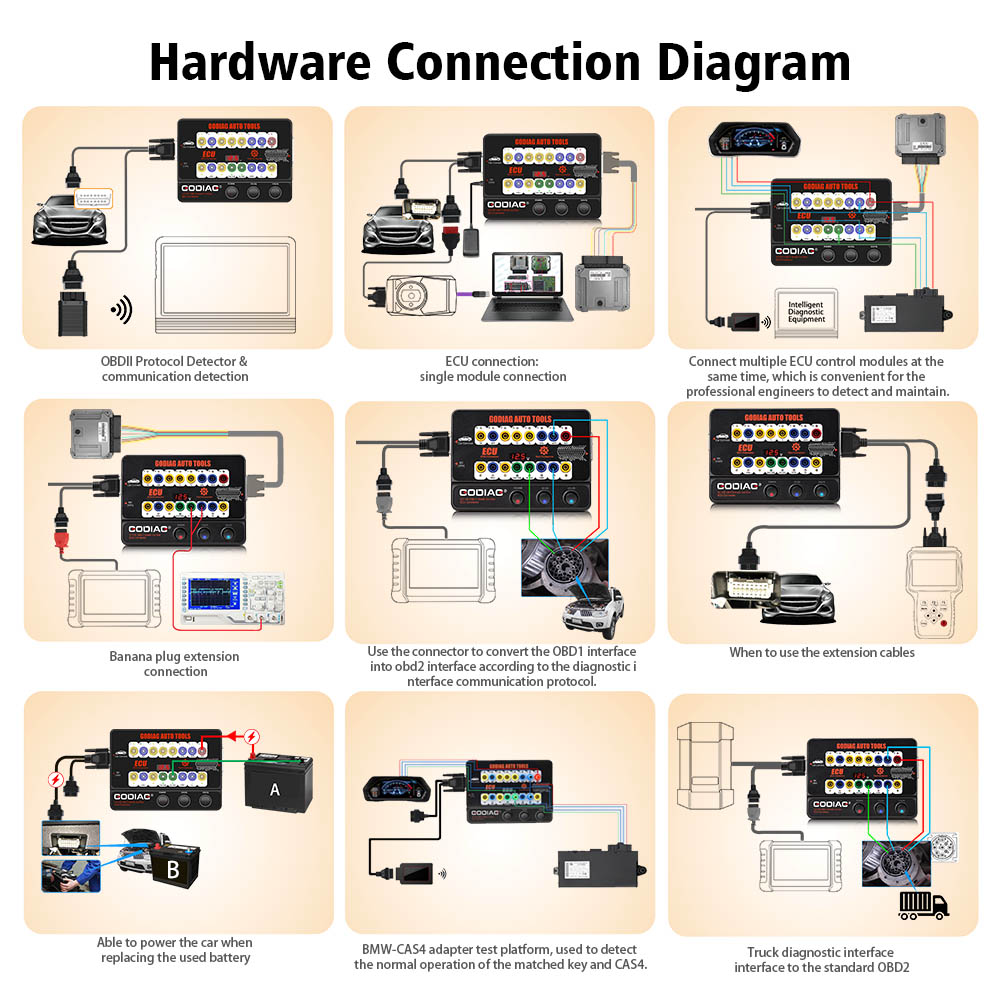
1. OBDII Protocol Detector & communication detection
1) Connect GODIAG GT100 to the OBDII diagnostic port of the car.
2) When the device displays the voltage, turn on the power switch of GODIAG GT100.
3) Then connect to the diagnostic tool, when the tool is communicating with the car, the LED indicator of corresponding protocol will light up or flash. ( If the CAN protocol is detected, it will have the maximum brightness. When the communication is successful, the corresponding CAN-H and CAN-L will dim or twinkling weakly)
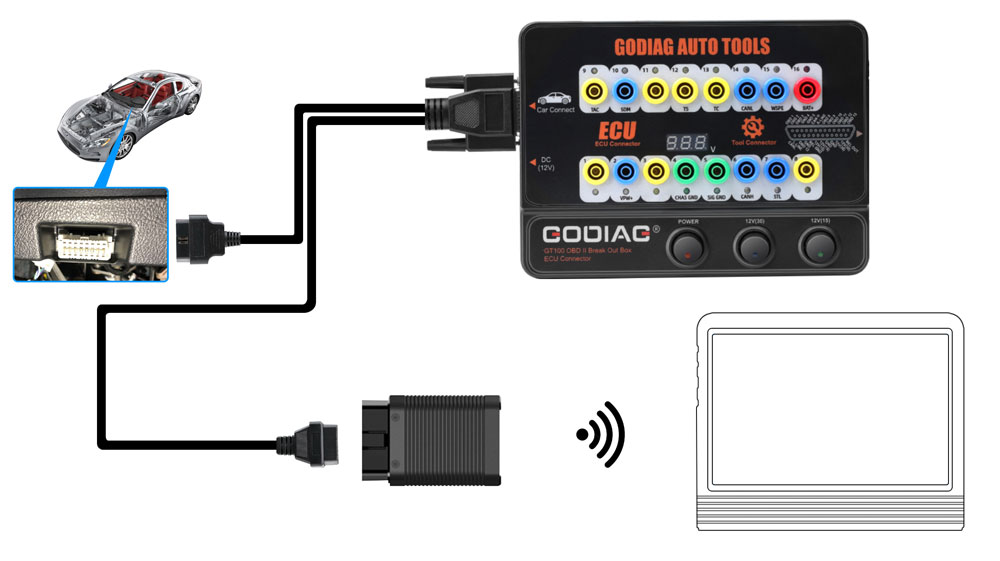
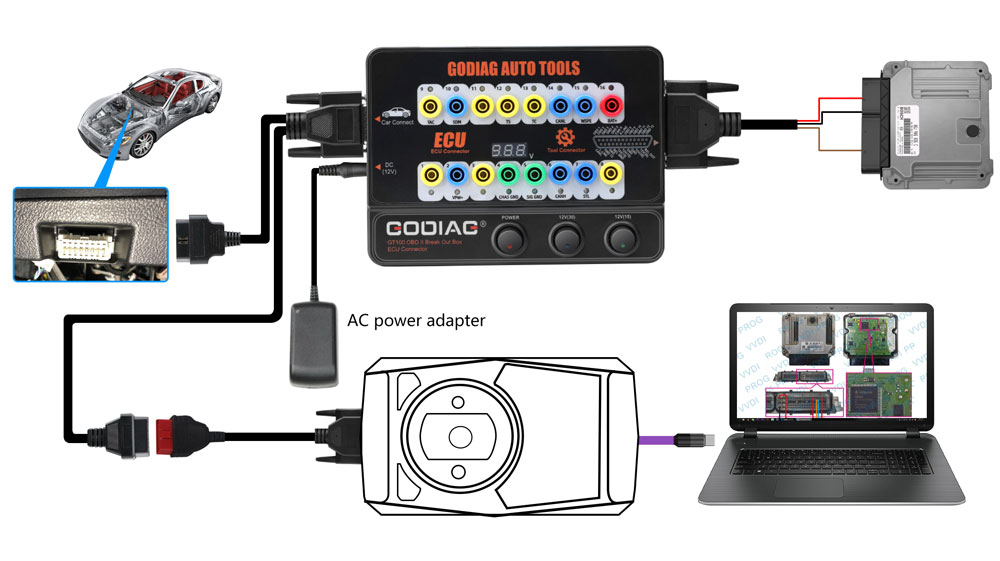
2. ECU connection: single module connection
GODIAG GT100, connected to a single ECU module, is convenient for a user to do the single-module diagnosis and programming.
1) Connect the ECU with the color jumpers. (If the ECU is CAN protocol, please check whether you will need to connect a 120 ohm resistor.)
2) The Godiag GT100 can be powered by connecting to the OBDII diagnostic interface of car, or by an AC power adapter.
3) To diagnose and program for a single ECU by connecting the diagnostic tool or ECU programmer.
3. Banana plug extension connection:
Extend the car's OBDII 16pin interface to tell you whether the OBDII interface connection is good or not, which is convenient for the test of OBDII interface voltage waveform.
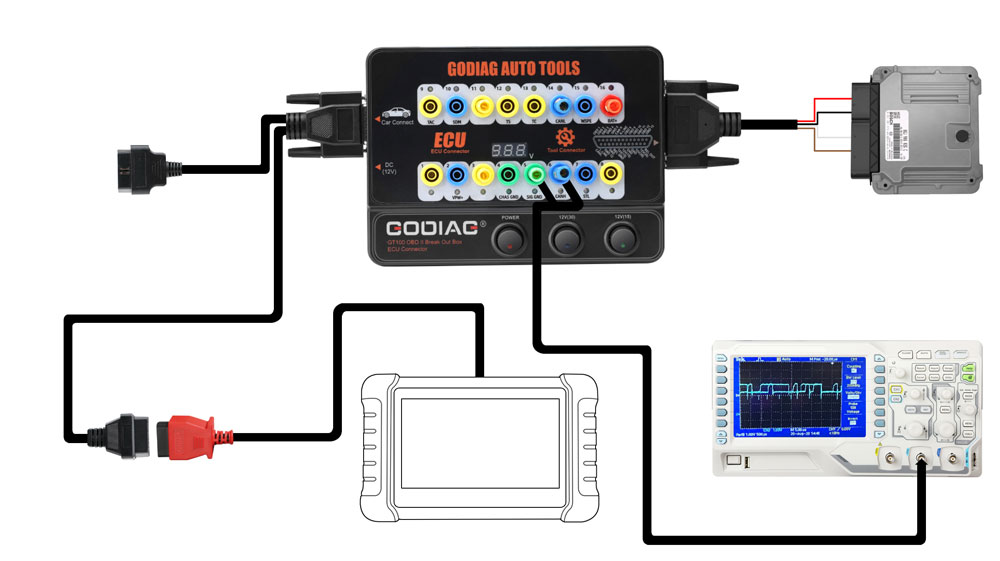
4. Convert OBD1 diagnostic interface to the standard OBD2
Use the connector to convert the OBD1 interface into obd2 interface according to the diagnostic interface communication protocol.
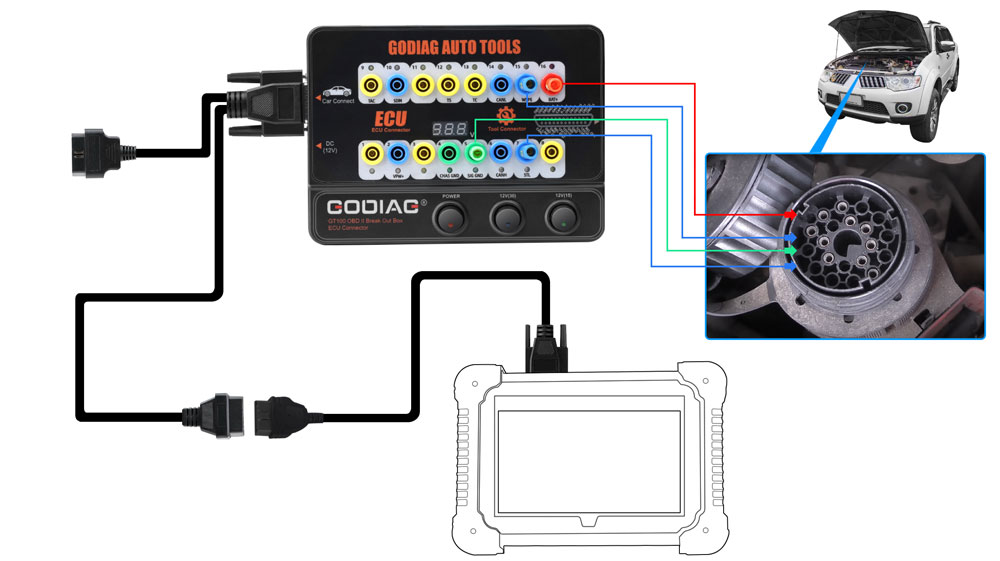
6. Used as the extension cables: The space of the diagnostic interface location is too narrow to connect to the diagnostic tool, or the user find that the diagnostic cable is not long enough during maintenance. It can be extended by 1.2 meters.
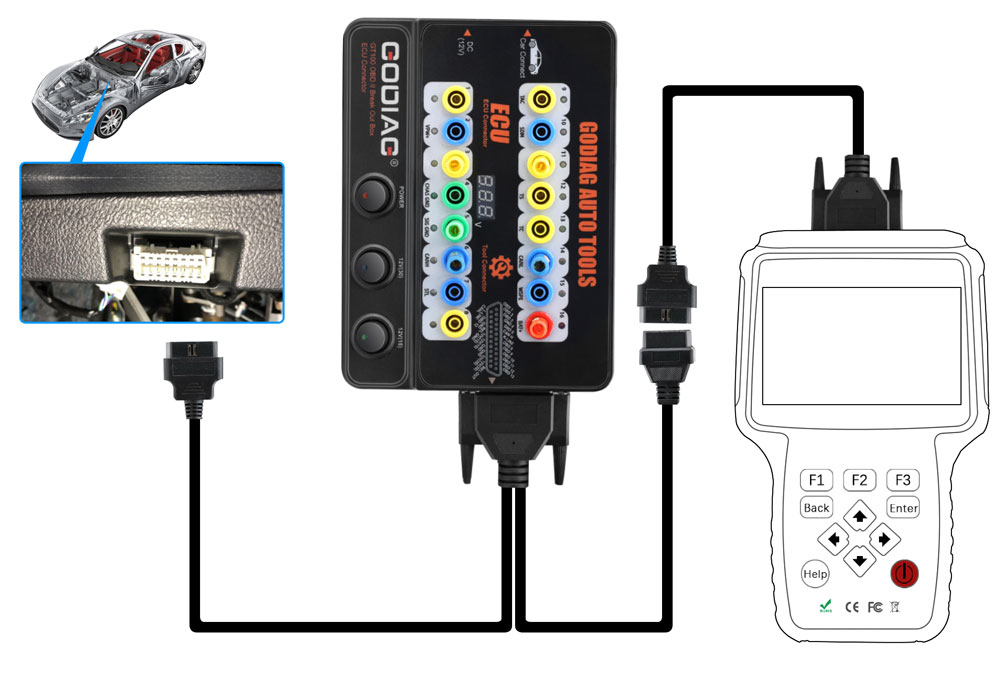
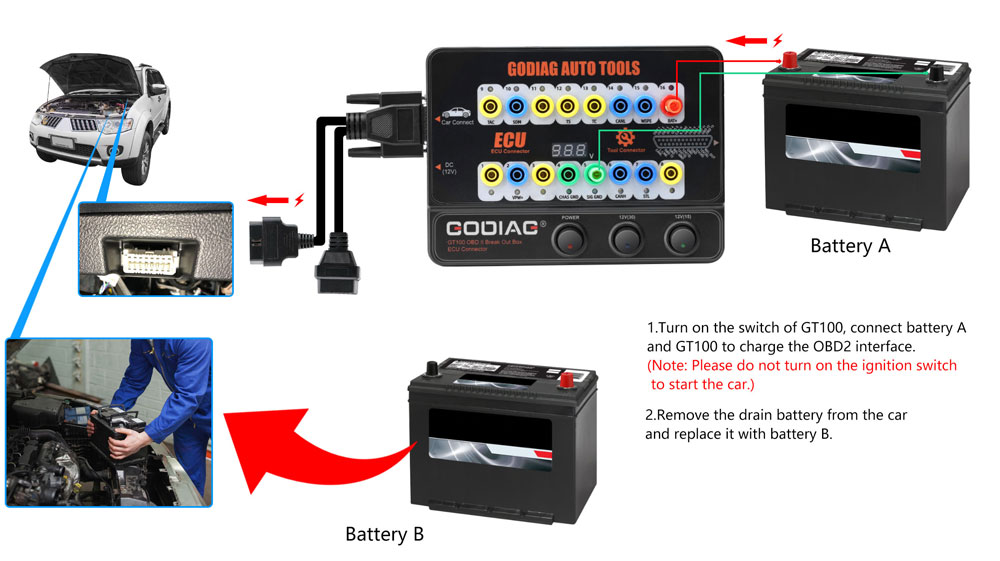
7. Able to power the car when replacing the used battery.
1) Prepare battery A to supply power by connecting to No. 16 / 4 / 5 holes of Godiag GT100 & to the OBD2 diagnostic interface of the car.
[Notice 1. Turn on the power switch of Godiag GT100. 2. Don't turn on the ignition switch, don't start the car]
2) Then replace the brand-new battery B with the used battery in the car, which will ensure that the car has fully power to prevent data loss and audio lock-up or the malfunction due to lack of power to the ECU control module.