


OBDII Protocol Detector OBD2 Break Out Box ECU
ر.ع.40.00
ODIAG GT100 Functions in Detail
– By connecting the vehicle and diagnostic tool via OBDII, Godiag GT100’s LED will indicate whether the OBDII diagnostic interface has a good communication with the car
– Monitor the voltage of vehicle OBDII interface and display it in real time. If it is less than 11V, please stop the diagnosis and programming to avoid the vehicle being unable to start/data loss/module locked.
Indicator Meaning:
| 1. Manufacturer custom 2. SJE1850 wire 3. Manufacturer custom 4. Power grounding 5. Signal grounding 6. SAEJ2284《CAN》high 7. ISO9141-2&iso, DIS4230-4K wire 8. Manufacturer custom |
9. Manufacturer custom 10. SJE1850 wire《bus-> 11. Manufacturer custom 12. Manufacturer custom 13. Manufacturer custom 14. SAEJ2284《CAN》low 15. ISO9141-2 & ISO/DIS 4230-4L wire 16. Car battery positive |
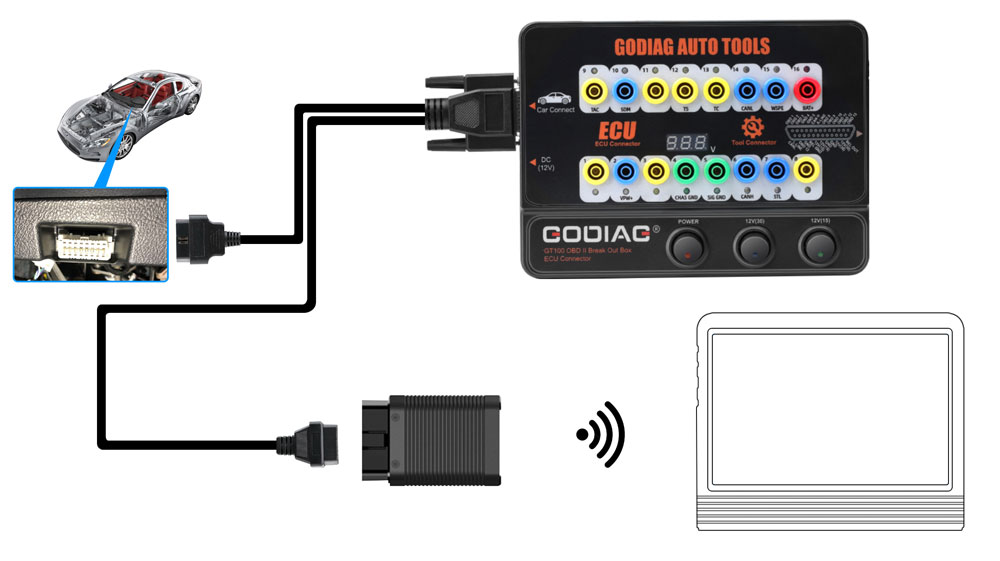
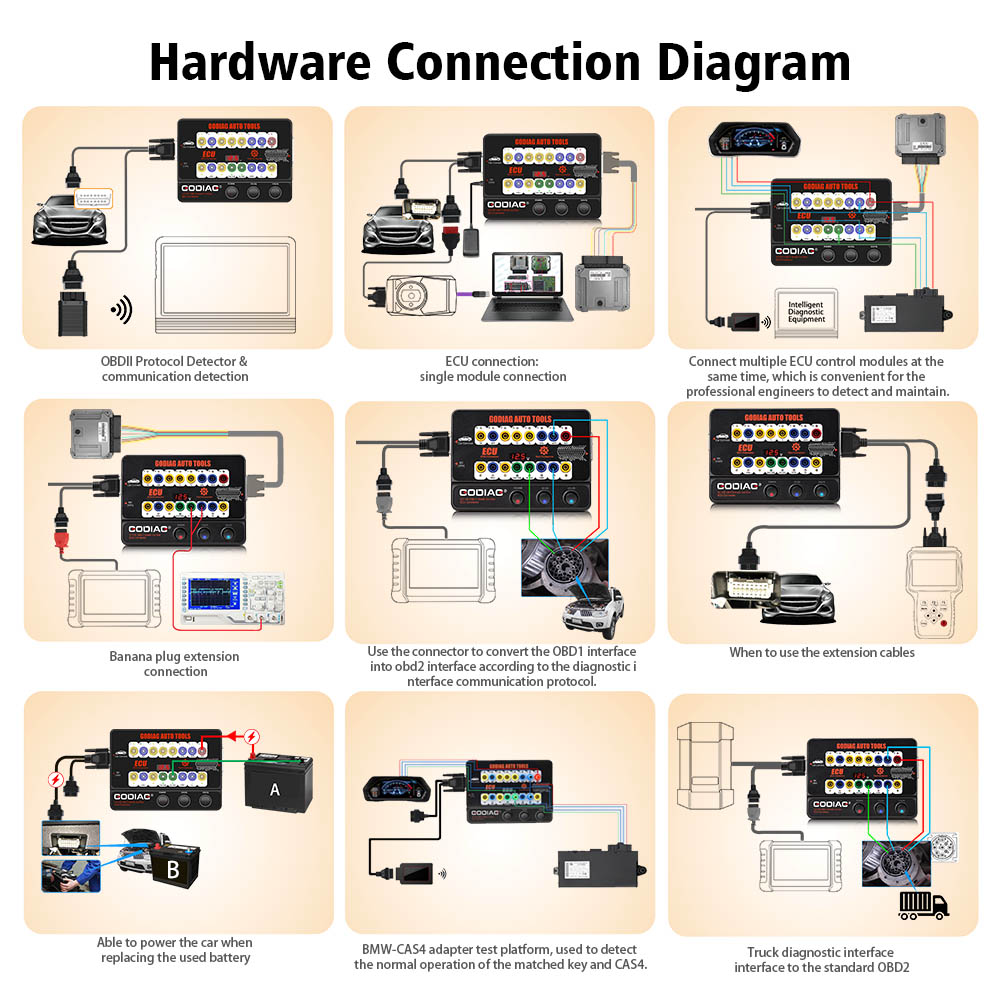
1. OBDII Protocol Detector & communication detection
1) Connect GODIAG GT100 to the OBDII diagnostic port of the car.
2) When the device displays the voltage, turn on the power switch of GODIAG GT100.
3) Then connect to the diagnostic tool, when the tool is communicating with the car, the LED indicator of corresponding protocol will light up or flash. ( If the CAN protocol is detected, it will have the maximum brightness. When the communication is successful, the corresponding CAN-H and CAN-L will dim or twinkling weakly)
2. ECU connection: single module connection
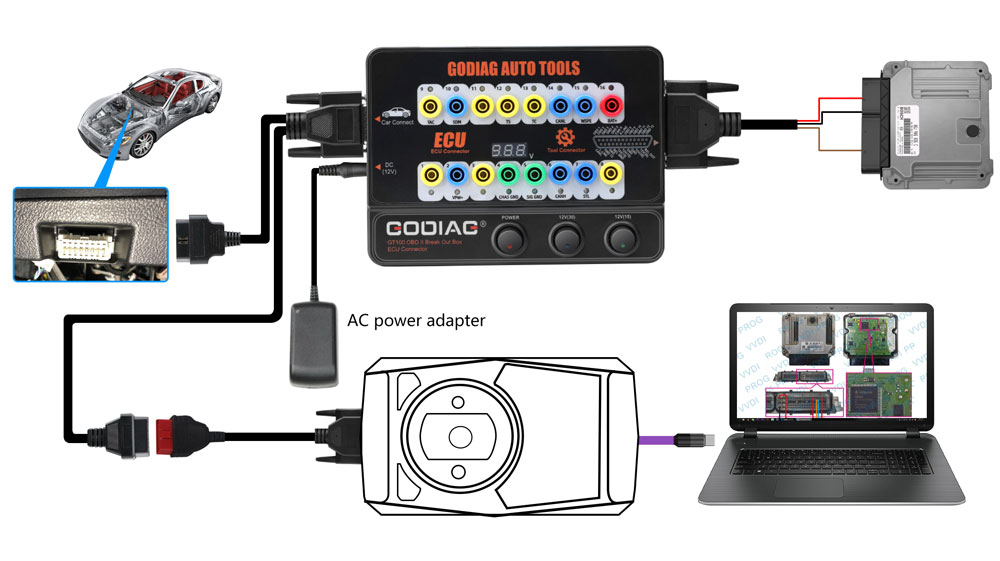
GODIAG GT100, connected to a single ECU module, is convenient for a user to do the single-module diagnosis and programming.
1) Connect the ECU with the color jumpers. (If the ECU is CAN protocol, please check whether you will need to connect a 120 ohm resistor.)
2) The Godiag GT100 can be powered by connecting to the OBDII diagnostic interface of car, or by an AC power adapter.
3) To diagnose and program for a single ECU by connecting the diagnostic tool or ECU programmer.
3. Banana plug extension connection:
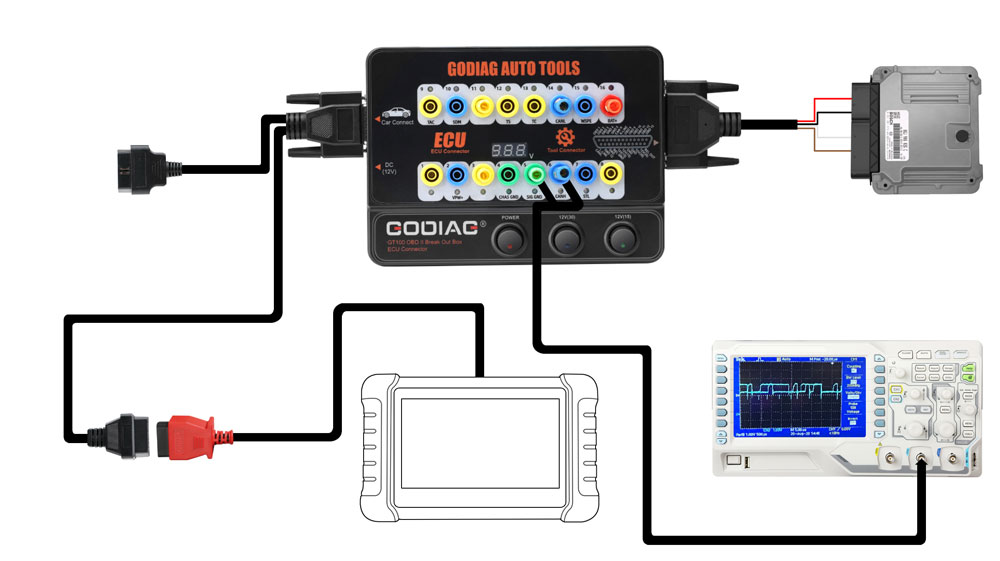
Extend the car’s OBDII 16pin interface to tell you whether the OBDII interface connection is good or not, which is convenient for the test of OBDII interface voltage waveform.
4. Convert OBD1 diagnostic interface to the standard OBD2
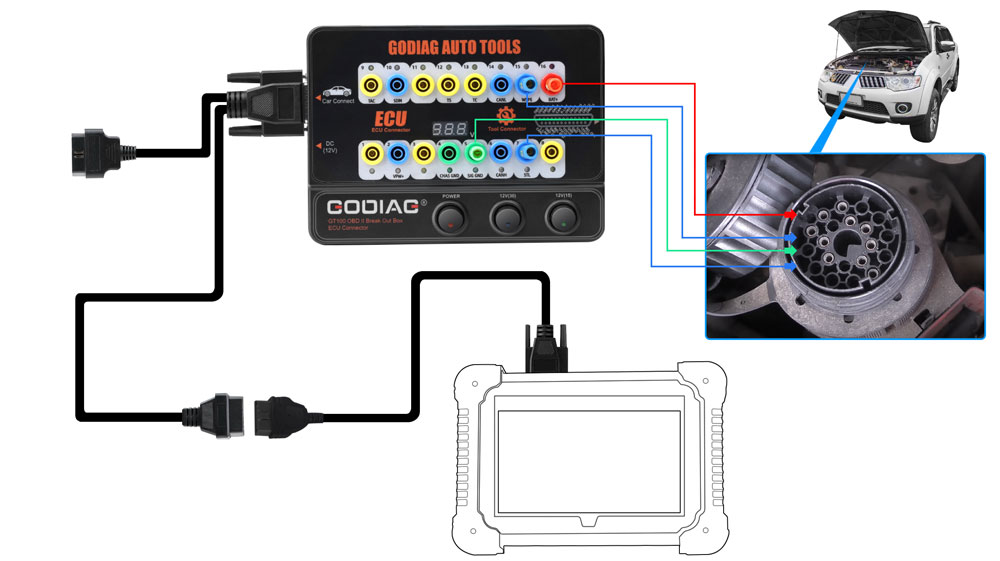
Use the connector to convert the OBD1 interface into obd2 interface according to the diagnostic interface communication protocol.
6. Used as the extension cables: The space of the diagnostic interface location is too narrow to connect to the diagnostic tool, or the user find that the diagnostic cable is not long enough during maintenance. It can be extended by 1.2 meters.
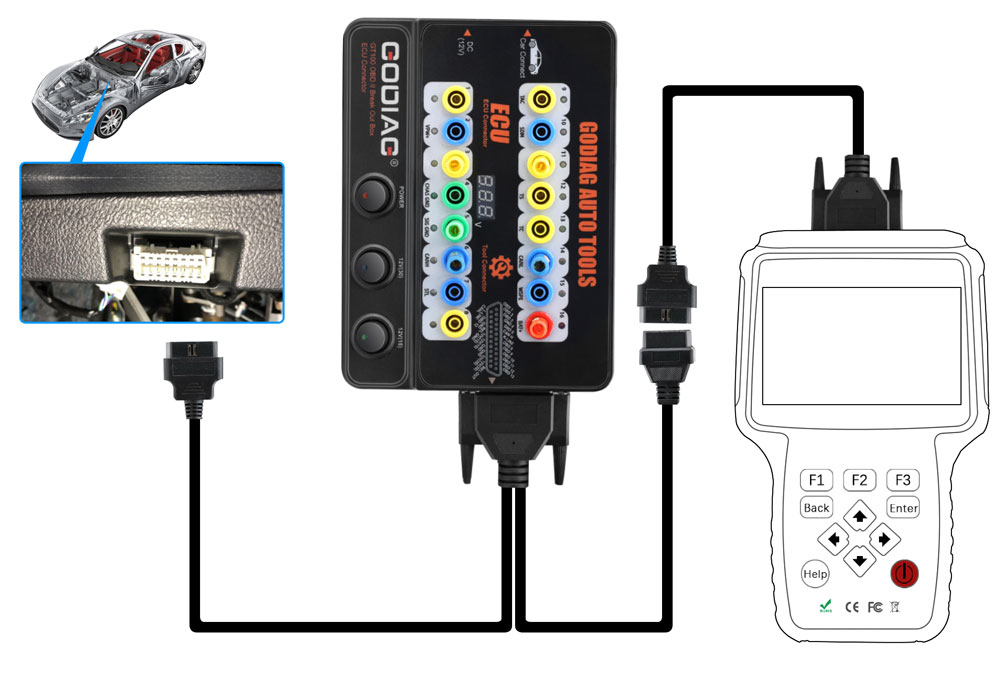
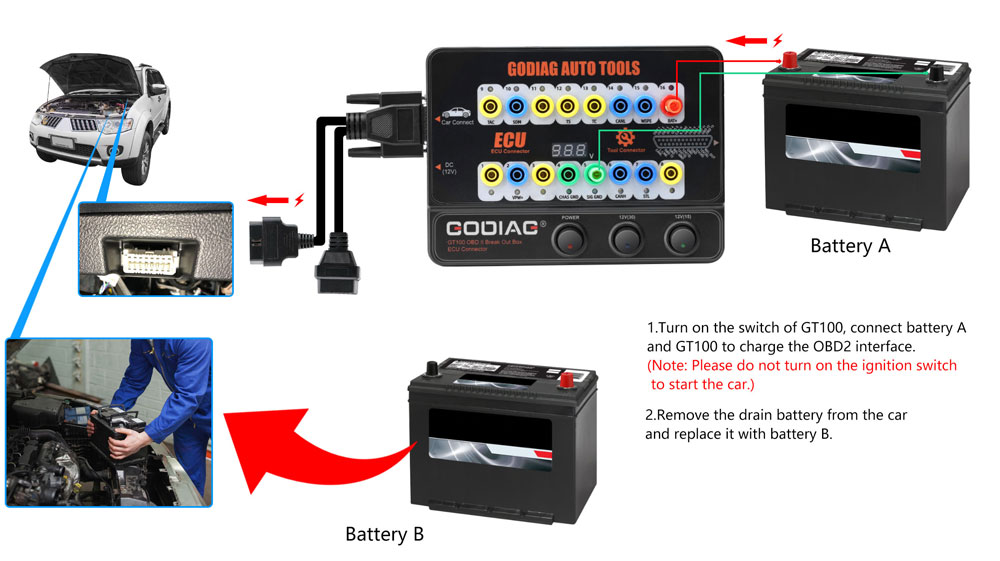
7. Able to power the car when replacing the used battery.
1) Prepare battery A to supply power by connecting to No. 16 / 4 / 5 holes of Godiag GT100 & to the OBD2 diagnostic interface of the car.
[Notice 1. Turn on the power switch of Godiag GT100. 2. Don’t turn on the ignition switch, don’t start the car]
2) Then replace the brand-new battery B with the used battery in the car, which will ensure that the car has fully power to prevent data loss and audio lock-up or the malfunction due to lack of power to the ECU control module.
Out of stock
ODIAG GT100 Functions in Detail
– By connecting the vehicle and diagnostic tool via OBDII, Godiag GT100’s LED will indicate whether the OBDII diagnostic interface has a good communication with the car
– Monitor the voltage of vehicle OBDII interface and display it in real time. If it is less than 11V, please stop the diagnosis and programming to avoid the vehicle being unable to start/data loss/module locked.
Indicator Meaning:
| 1. Manufacturer custom 2. SJE1850 wire 3. Manufacturer custom 4. Power grounding 5. Signal grounding 6. SAEJ2284《CAN》high 7. ISO9141-2&iso, DIS4230-4K wire 8. Manufacturer custom |
9. Manufacturer custom 10. SJE1850 wire《bus-> 11. Manufacturer custom 12. Manufacturer custom 13. Manufacturer custom 14. SAEJ2284《CAN》low 15. ISO9141-2 & ISO/DIS 4230-4L wire 16. Car battery positive |
1. OBDII Protocol Detector & communication detection
1) Connect GODIAG GT100 to the OBDII diagnostic port of the car.
2) When the device displays the voltage, turn on the power switch of GODIAG GT100.
3) Then connect to the diagnostic tool, when the tool is communicating with the car, the LED indicator of corresponding protocol will light up or flash. ( If the CAN protocol is detected, it will have the maximum brightness. When the communication is successful, the corresponding CAN-H and CAN-L will dim or twinkling weakly)

2. ECU connection: single module connection
GODIAG GT100, connected to a single ECU module, is convenient for a user to do the single-module diagnosis and programming.
1) Connect the ECU with the color jumpers. (If the ECU is CAN protocol, please check whether you will need to connect a 120 ohm resistor.)
2) The Godiag GT100 can be powered by connecting to the OBDII diagnostic interface of car, or by an AC power adapter.
3) To diagnose and program for a single ECU by connecting the diagnostic tool or ECU programmer.

3. Banana plug extension connection:
Extend the car’s OBDII 16pin interface to tell you whether the OBDII interface connection is good or not, which is convenient for the test of OBDII interface voltage waveform.

4. Convert OBD1 diagnostic interface to the standard OBD2
Use the connector to convert the OBD1 interface into obd2 interface according to the diagnostic interface communication protocol.

6. Used as the extension cables: The space of the diagnostic interface location is too narrow to connect to the diagnostic tool, or the user find that the diagnostic cable is not long enough during maintenance. It can be extended by 1.2 meters.

7. Able to power the car when replacing the used battery.
1) Prepare battery A to supply power by connecting to No. 16 / 4 / 5 holes of Godiag GT100 & to the OBD2 diagnostic interface of the car.
[Notice 1. Turn on the power switch of Godiag GT100. 2. Don’t turn on the ignition switch, don’t start the car]
2) Then replace the brand-new battery B with the used battery in the car, which will ensure that the car has fully power to prevent data loss and audio lock-up or the malfunction due to lack of power to the ECU control module.


You must be logged in to post a review.


MAECENAS IACULIS
Vestibulum curae torquent diam diam commodo parturient penatibus nunc dui adipiscing convallis bulum parturient suspendisse parturient a.Parturient in parturient scelerisque nibh lectus quam a natoque adipiscing a vestibulum hendrerit et pharetra fames nunc natoque dui.
ADIPISCING CONVALLIS BULUM
- Vestibulum penatibus nunc dui adipiscing convallis bulum parturient suspendisse.
- Abitur parturient praesent lectus quam a natoque adipiscing a vestibulum hendre.
- Diam parturient dictumst parturient scelerisque nibh lectus.
Scelerisque adipiscing bibendum sem vestibulum et in a a a purus lectus faucibus lobortis tincidunt purus lectus nisl class eros.Condimentum a et ullamcorper dictumst mus et tristique elementum nam inceptos hac parturient scelerisque vestibulum amet elit ut volutpat.
Related products


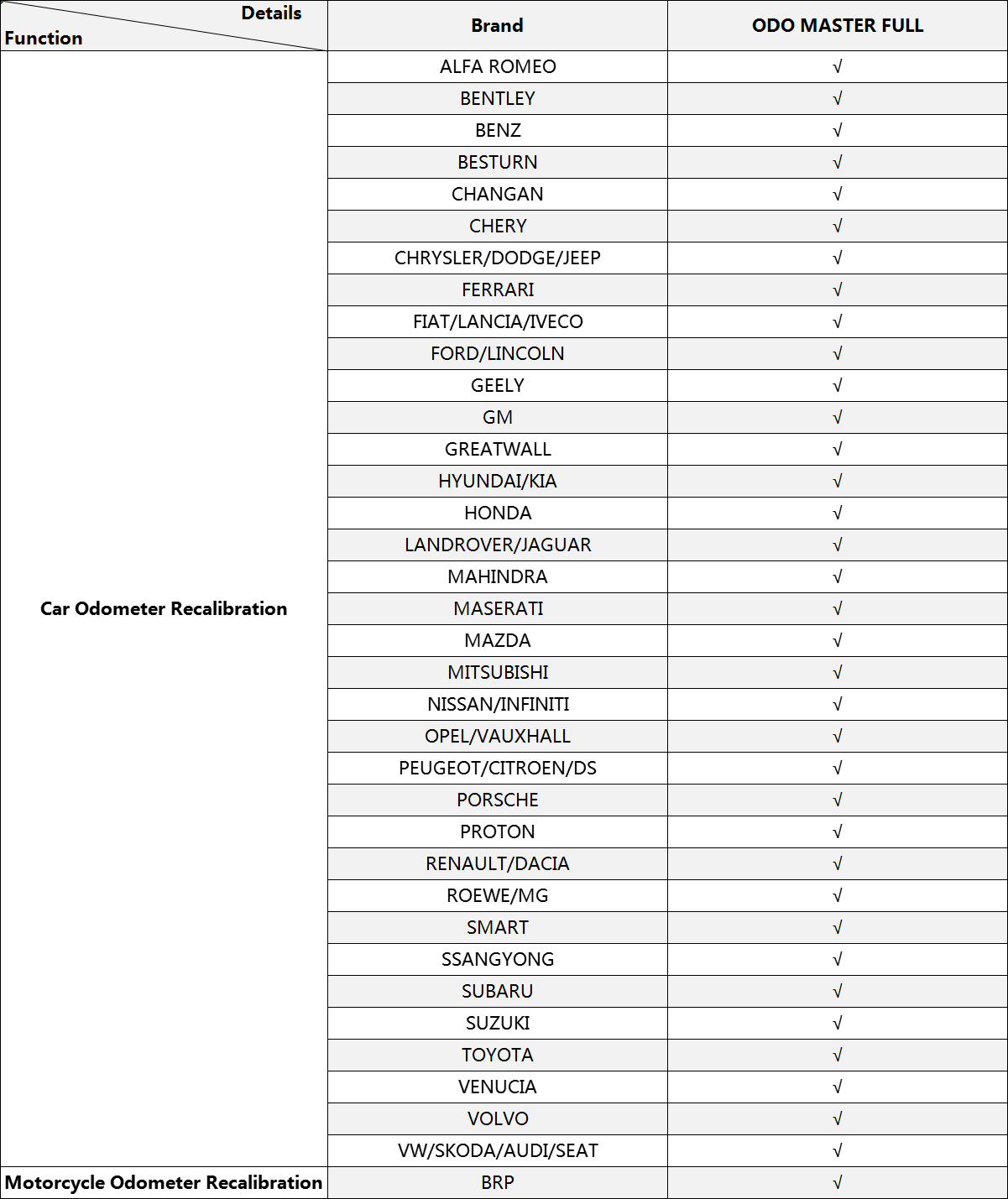
OBD Master millage correction
Hardware Advantages
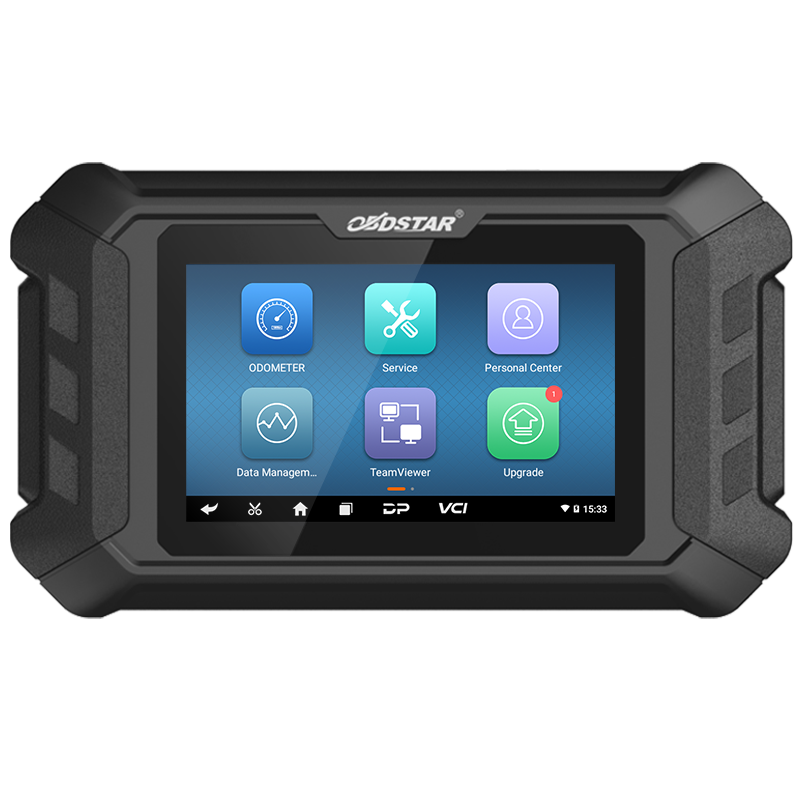
1. Built-in VCI box
2. 5-inch touchscreen
3. Charge directly via OBD interface
4. Practical and high-end gift box
5. Industrial design with silicone case
Add “Help” Functions
1. including built-in testable vehicle models, upgrade announcement, features, help notes and wiring diagrams, etc
2. Carlist and upgrade announcement, all details are available on the device
3. Customers can look up the features or uniquely support functions on the device
4. Help notes: built-in help notes for each model or function

MaxiSYS MSOAK
MaxiSYS MSOAK
Oscilloscope Accessory Kit
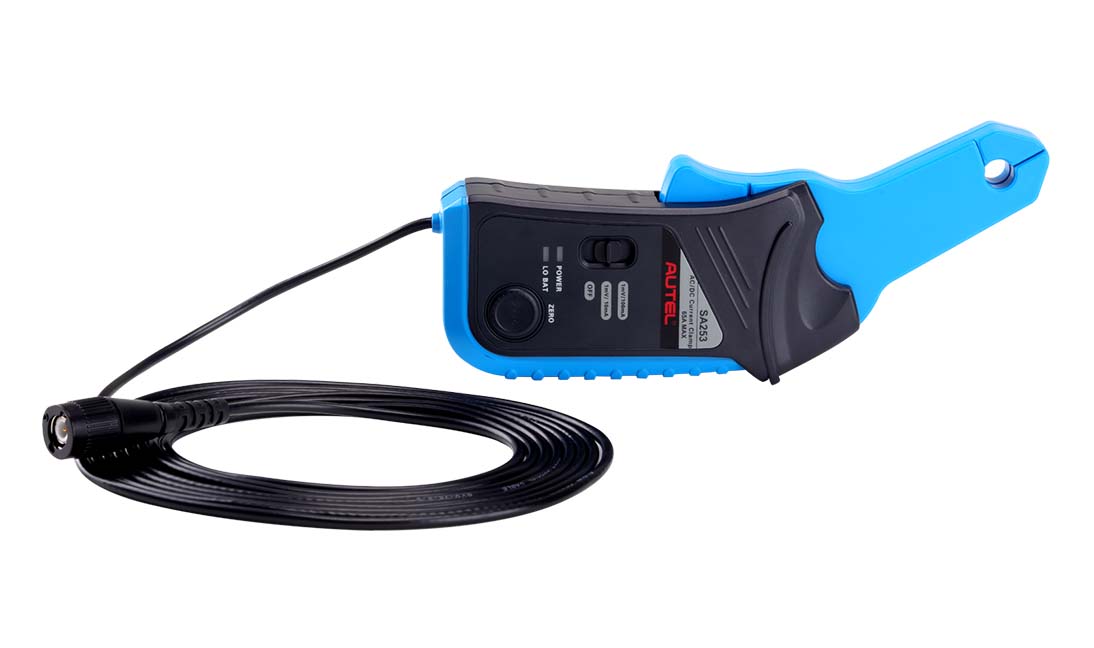
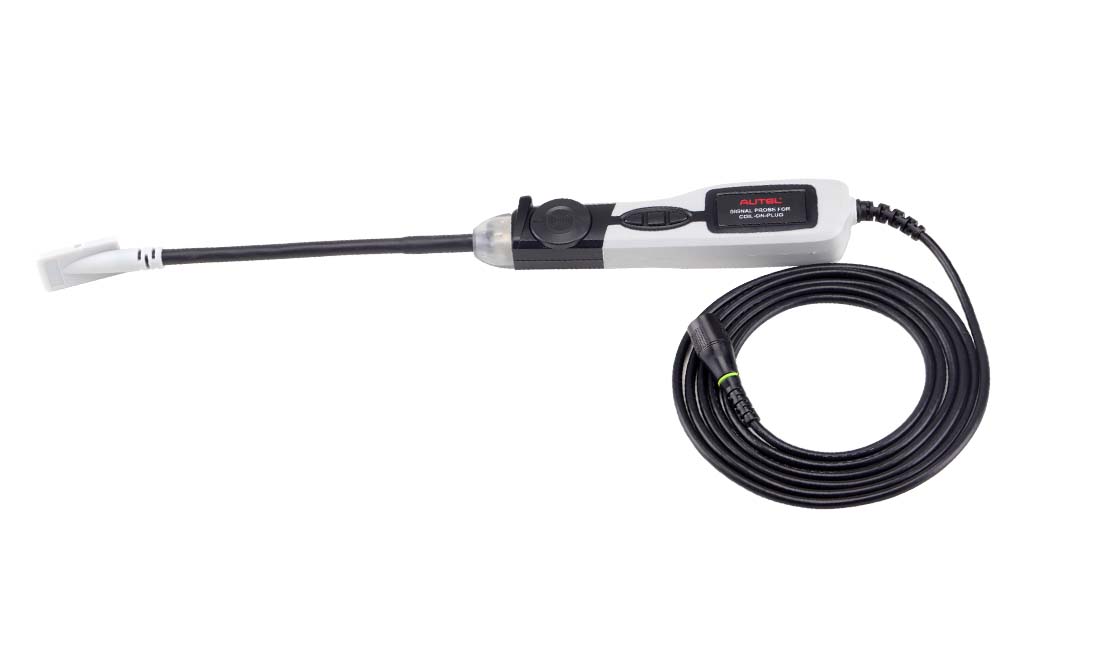
The MSOAK, compatible with the MaxiFlash VCMI included with the MSUltra and MS919, and the MP408 4-channel oscilloscope (sold separately), includes the 65A AC/DC Current Clamp, 650A AC/DC Current Clamp, Coil On Plug Probe, HT Extension Lead (2pcs) and Battery Clip (2pcs), within a blow-molded carrying case. To enable screen reader support, press Ctrl+Alt+Z To learn about keyboard shortcuts, press Ctrl+slash
Compatible with the MSULTRA, MS919 & MP408
• Includes 65A AC/DC Current Clamp, 650A AC/DC Current Clamp, Coil on Plug Probe, HT Extension Lead (2pcs) and Battery Clip (2pcs)
• Includes Carrying Case
• Includes 1-Year Warranty

MaxiAP AP200
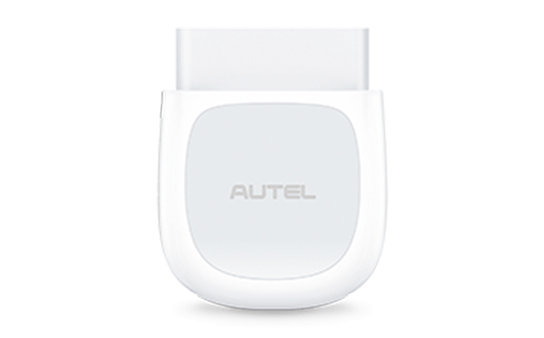
Smartphone All System Scan Tool App With Bluetooth OBD2 Adapter
The wireless diagnostic interface MaxiAP AP200 is a small interface adapter used to connect to a vehicle’s diagnostic connector (DLC) and connect with the Android or iOS device for vehicle data transmission, making your Android or iOS devices (hereinafter referred to as device or devices) a powerful diagnostic tool. The MaxiAP AP200 package includes a Bluetooth (BT) OBDII connector and a MaxiAP200 app. It is the perfect Do-It-Yourself tool for customers looking for quick and easy diagnostic functions of all systems. It is almost compatible with all vehicle models of European, Asian, and North America makes.
All OBDII functions are available and free
• One free vehicle’s software with the initial purchase
• Support up to 19 specific functions, including Oil Reset, EPB, BMS, SAS, DPF, TPMS, IMMO, etc.
• Expand coverage with additional in-app purchase
• Auto VIN technology identifies vehicles automatically
• Generate repair reports of tested vehicles and support PDF format for easy sharing and printing
• Keep records of vehicles tested previously
• 14 languages switch freely


OBD2 Launch cabel 60 cm Extension
Whether you have lost or damaged your existing Launch OBD Extension Cable or have a completely different Diagnostic machine, This Ribbon style OBD extension cable works on all OBD bluetooth connectors to extend its length and also to add protection against damage to the Bluetooth adapter reducing the amount of times you have to plug and unplug the dongle from the vehicle which could be a costly repair if damaged


Reviews
There are no reviews yet.